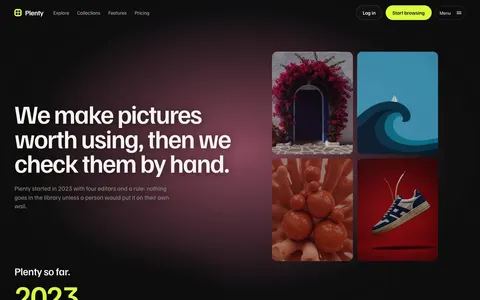
These templates put your work first. Each one shows pictures in a way that suits a different kind of portfolio, from a studio name filled with work to an endless wall of pictures.
All are plain HTML, CSS and JavaScript, with work pages, case studies and contact forms ready to fill.
A good portfolio shows fewer, larger pictures and lets each project tell its story. So every template has a case study layout as well as a work page, and keeps the words short around your pictures.
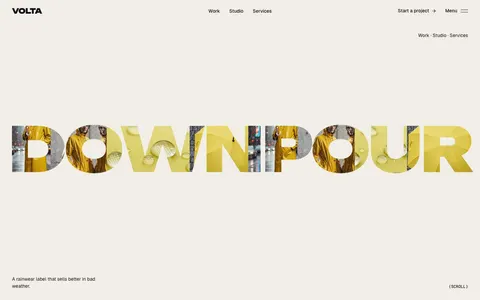
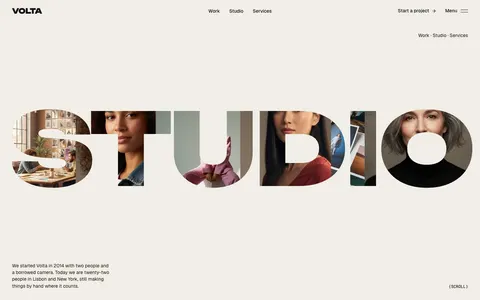
A theme where the studio's name is the window onto its work.
Giant letters you can see your pictures through, a wordmark that dives into one picture as you scroll, and pinned sections on every page. Built for studios whose name is their brand.
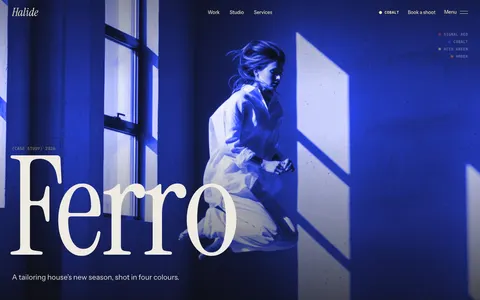
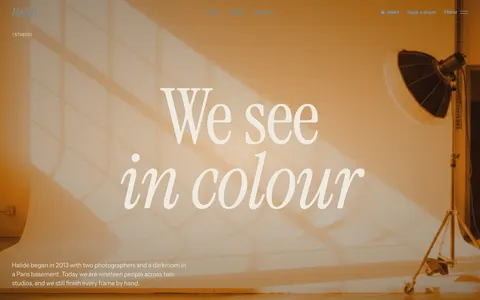
A dark, cinematic theme for photo and film studios.
A full-screen reel that grades every picture red, cobalt, acid green or amber, light leaks between cuts, and pages that pin and wipe as you scroll. Built for studios whose work is the picture.
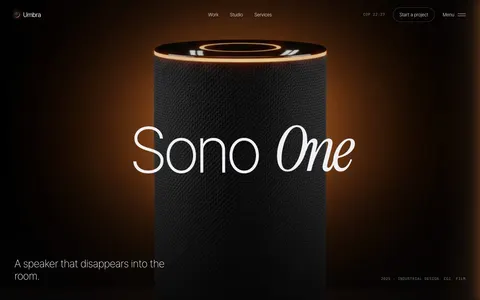
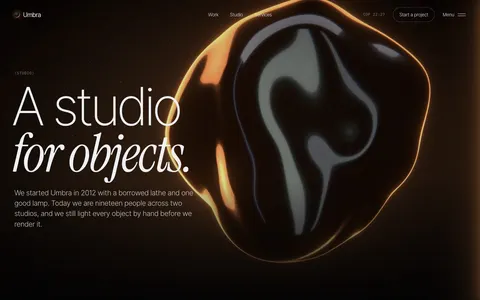
A black glass theme for product, industrial and CGI studios.
Real-time liquid glass with an amber rim that bends towards the pointer, turns, splits and breaks into droplets as you scroll. Built for studios that make objects and want them lit properly.
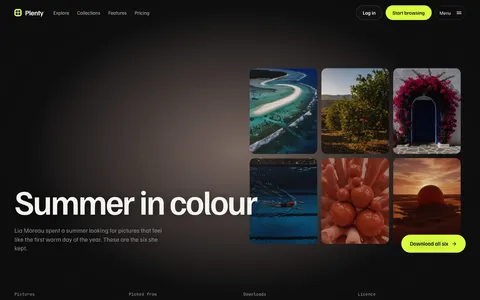
An endless picture wall for image libraries, creative AI tools and marketplaces.
Drag the wall, open any picture in its own shape, walk down a tunnel of your collection, then watch it sort itself by colour and gather by category. Built for AI image tools, stock libraries, galleries and catalogues.
Your name fills the screen and every letter shows a picture of your work. Scrolling flies through one letter into its picture. Best for design studios, art directors and illustrators with a short, memorable name.
Afterglow: for photographers and film makers
Full-screen photos graded in one bold colour, with light leaks, quick flashes and film grain. Best for fashion, portrait and moving image work that should feel like a film.
Obsidian: for product and 3D work
A live 3D glass form behind every page, lit like a studio shoot, with pictures that bend under a glass lens. Best for product designers, CGI artists and anyone who makes objects.
Canvas: for large archives
An endless wall of pictures that visitors can drag, filter, search and open. Best for photographers and illustrators with hundreds of pictures, or a studio that sells prints.
Questions
Which portfolio template is best for photographers?+
Afterglow for a cinematic look with large photos, or Canvas if you have a large archive you want people to explore.
Can I add as many projects as I like?+
Yes. Projects live in the content file. Add one and the work page and filters update when you rebuild.
Will my photos be compressed?+
You control your own image files. The documentation explains the sizes that look sharp and load quickly.
Can I sell prints or bookings from my portfolio?+
The templates do not include a shop. You can link any picture or project to your shop, booking page or payment link, and the contact forms post to the form service you choose.
Do I need a separate case study for every project?+
No. The case study page is a layout you can reuse. Write a full story for your best projects and show the rest on the work page.
What do I need to use a theme?+
To go live, nothing but a web host: upload the finished folder. To change the words, colours and fonts you need Node.js 22 or later on your computer, and you run one build command. The documentation walks you through it.
Do I need the film kit?+
Only some themes have one, and you never need it. Those themes come with their films ready made; the film kit is there to make new ones in your own colours and words. It uses Remotion, which is free for individuals and companies of up to three people. Larger companies need a Remotion company licence to use the film kit.
Are there stock photos or AI images in it?+
No stock photos. Each theme page says which of its demo pictures were made with an AI image model. Those pictures show how the theme looks and are for the preview only: replace them with your own work before you go live. Anything drawn by the theme itself, such as films, dot drawings and product screens, you can keep. To use your own photos, save them over the files in the images folder.
How was it made?+
Wular designed the themes and built them with the help of an AI coding assistant. We tested every page and wrote the documentation ourselves.
Which licence do I need?+
Single site covers one website, for yourself or for one client. Extended covers as many websites as you like. Neither lets you resell the theme itself as a template.
How do updates and support work?+
New versions are free. We email you when one is out, and you can download it again from your receipt. For help, email contact@wular.us and we will reply within two working days.
Can I get a refund?+
Because a theme is a download, we cannot take it back once you have it. If the files are broken or do not match the demo and we cannot fix it, we will refund you in full within 14 days of purchase.
Who handles payment?+
Dodo Payments is the merchant of record for our theme sales. It takes the payment, adds the right sales tax or VAT and sends your receipt and download link. You can download the theme again at any time from Dodo's customer portal.