3D · Liquid glass
Obsidian 3D product studio website template
Obsidian is a dark, 3D HTML theme for product design and CGI studios. A live black glass form, lit like a studio shoot, follows you down every page.
The pages
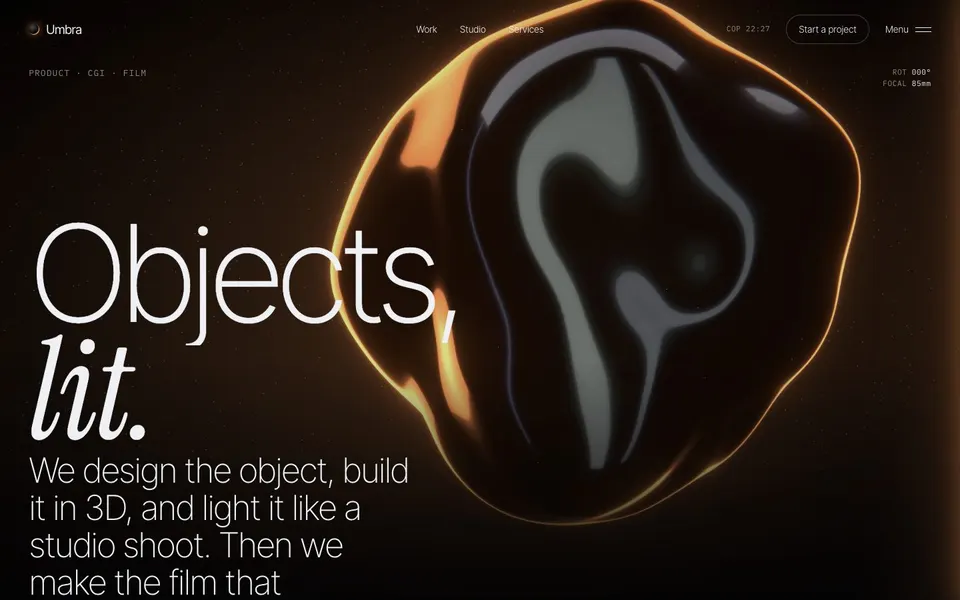
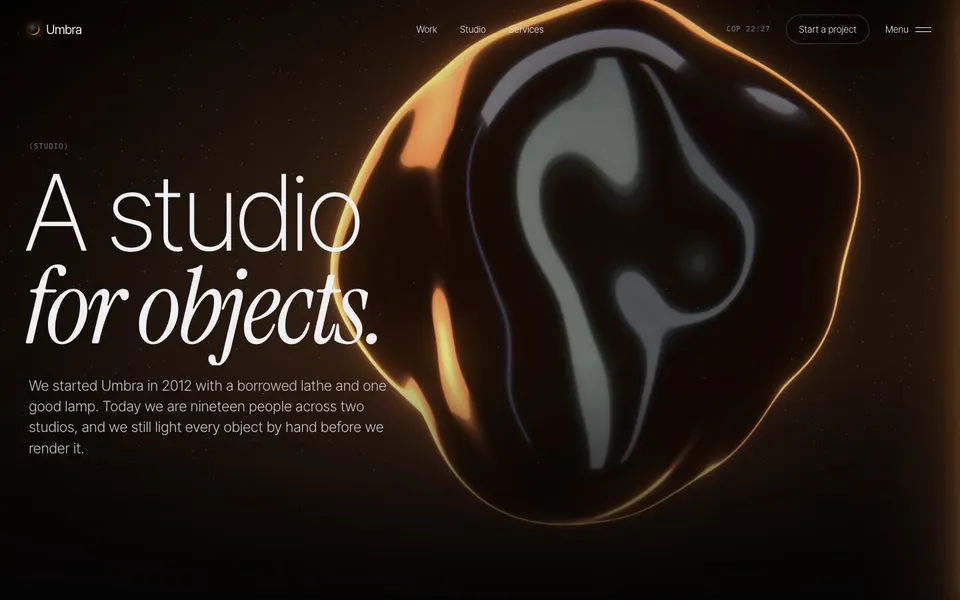
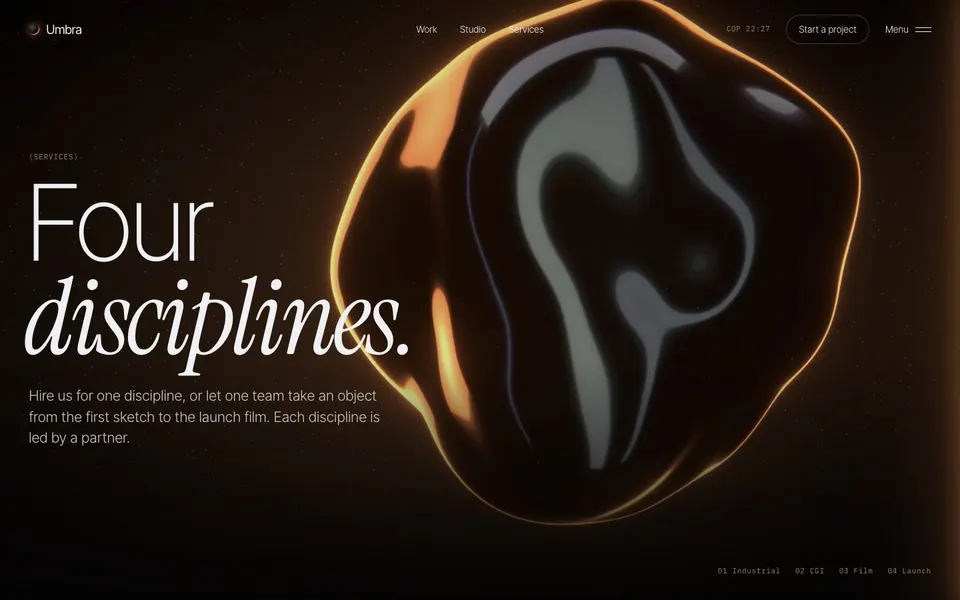
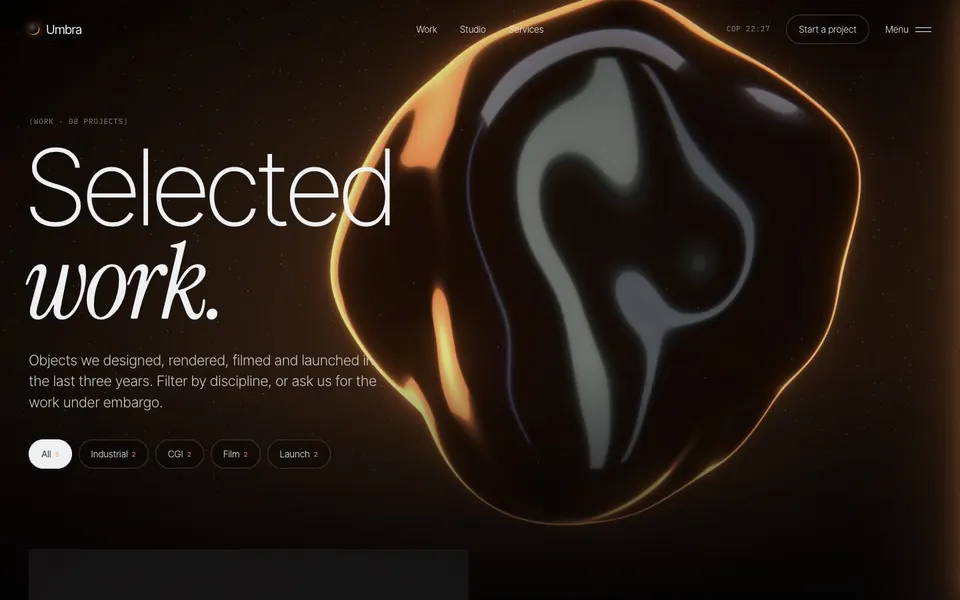
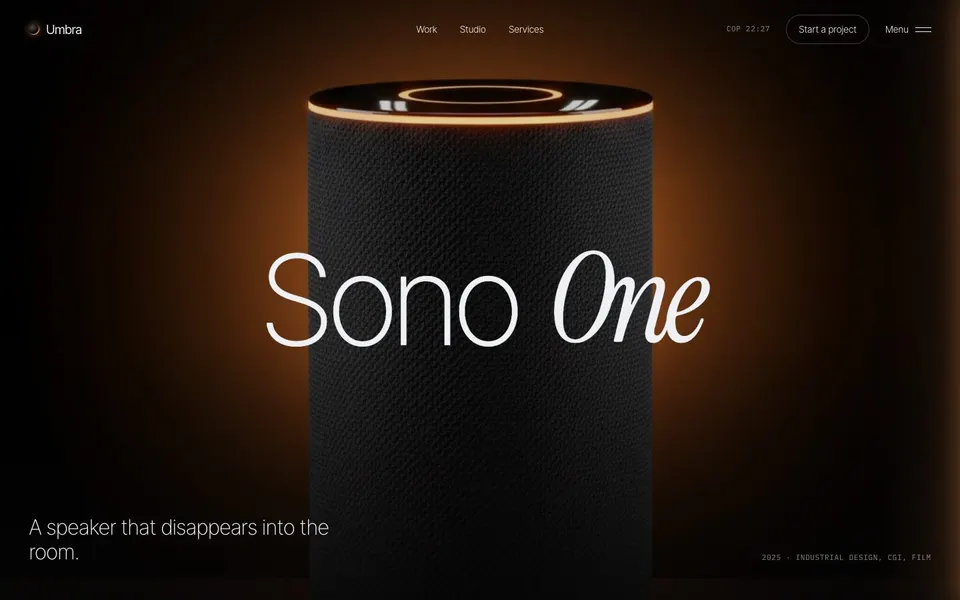
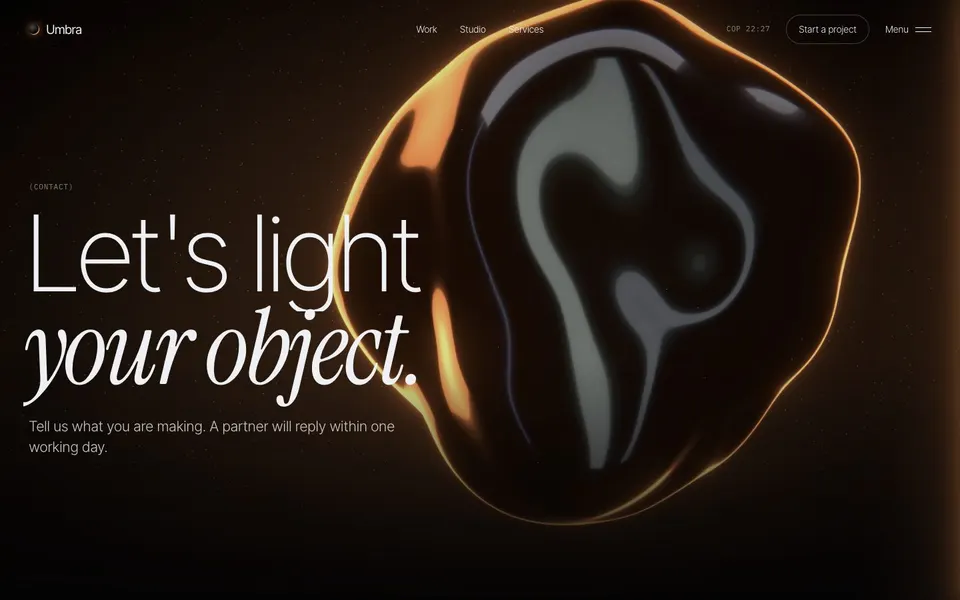
Plus a service page and a 404 page. The download also has a style guide with every colour, font and component. The demo pictures were made with an AI image model and are for the preview only. Replace them with your own work before you go live.
The whole home page
Real-time liquid glass with an amber rim that bends towards the pointer, turns, splits and breaks into droplets as you scroll. Built for studios that make objects and want them lit properly.
- A live 3D glass form behind every page
- Glass that bends towards the pointer and turns as you scroll
- Pinned camera moves, an opening iris and a discipline turntable
- Work grid with filters
- Case study, service and about pages
- Film kit that renders the glass film in your own colours

About Obsidian
Who it’s for
Obsidian suits product design studios, industrial designers, CGI and 3D artists, hardware brands and anyone who makes objects.
It is a good choice if your work is about form, material and light, and you want the site itself to feel like a studio shoot.
It also suits furniture and lighting brands, architecture visualisation studios and car or watch designers. The dark page and warm rim light make any product photo look like part of the same shoot.
What’s inside
A form of black liquid glass sits on a mirror floor behind every page, rendered live in three.js. Long strips of studio light slide across it, and an amber rim light glows behind it.
As you scroll, the glass moves, turns and splits into droplets. Each section tells it where to be, so the whole site reads as one continuous space.
Pictures bend under a glass lens when you point at them, and pinned camera moves carry the work and disciplines sections.
Every page
- Home
- The glass hero, selected work with a light reveal, disciplines and a closing call.
- About
- The studio and its people.
- Services
- Disciplines on a turntable.
- A service
- One discipline in detail.
- Work
- Projects with filters.
- Case study
- One product from sketch to launch.
- Contact
- A form and your studios.
- 404
- A page for broken links.
- Style guide
- In the download only: colours, type and every glass state.
Built with
- Plain HTML, CSS and JavaScript. There is no framework to learn, and the finished site is a folder of static files you can upload to any host.
- GSAP with ScrollTrigger for the scroll effects, and Lenis for smooth scrolling.
- three.js for the live 3D glass and the picture lens.
- A Remotion film kit renders the glass as a film and the social image in your colours. It is optional.
- Type: Inter Tight for headings and text, Instrument Serif for accents and IBM Plex Mono for labels, all free from Google Fonts.
- A small Node.js build (version 22 or later) turns one settings file and one content file into every page. You only need it when you change the words, colours or pictures.
Make it yours
Change the glass colours, the rim light and the background in the settings file. Set where the glass sits in each section with a short attribute in the page template.
Replace the demo photos with your own product shots, and render a new glass film with the film kit if you want one for social posts.
What you get
Nine pages or more
Home, about, services, a service, work, a case study, contact, a style guide and a 404 page, with the names to suit each theme. Some add pricing or a changelog.
One settings file
Change the name, colours, fonts and menu in one file, then run one command to rebuild every page.
Its own motion engine
A film kit, a live 3D or WebGL stage, real paper folds or a dot engine, depending on the theme. All of it runs on your own words, pictures and colours.
Plain HTML, CSS and JavaScript
No framework to learn. Upload the finished folder to any static host.
Careful motion
Smooth scrolling and scroll effects, with a calm version for visitors who turn motion off.
Documentation
A step-by-step guide to editing, building, adding your own photos and going live.
Get Obsidian.
Version 1.1.0. One payment, free updates. Prices in US dollars; sales tax or VAT is added at checkout where it applies.
Looking for another style? See all 9 themes.
Questions
Does the 3D work on phones?
Yes. Phones get a lighter version of the glass. Visitors who turn motion off, or whose browser cannot draw 3D, see a still picture instead.
Can I change the glass colour?
Yes. The body colour, the light strips and the rim light are set in the settings file.
Do I need to know three.js?
No. The glass is driven by the settings file and short attributes in the page templates.
Can I show my own 3D models?
The glass form is part of the theme. Your own renders and product photos go in the work and case study pages.
Can I use a light background instead of black?
Obsidian is built around a dark studio, and the glass reads best on black. You can change the page colours in the settings file, but on very light colours the reflections are lost.
What do I need to use a theme?
To go live, nothing but a web host: upload the finished folder. To change the words, colours and fonts you need Node.js 22 or later on your computer, and you run one build command. The documentation walks you through it.
Do I need the film kit?
Only some themes have one, and you never need it. Those themes come with their films ready made; the film kit is there to make new ones in your own colours and words. It uses Remotion, which is free for individuals and companies of up to three people. Larger companies need a Remotion company licence to use the film kit.
Are there stock photos or AI images in it?
No stock photos. Each theme page says which of its demo pictures were made with an AI image model. Those pictures show how the theme looks and are for the preview only: replace them with your own work before you go live. Anything drawn by the theme itself, such as films, dot drawings and product screens, you can keep. To use your own photos, save them over the files in the images folder.
How was it made?
Wular designed the themes and built them with the help of an AI coding assistant. We tested every page and wrote the documentation ourselves.
Which licence do I need?
Single site covers one website, for yourself or for one client. Extended covers as many websites as you like. Neither lets you resell the theme itself as a template.
How do updates and support work?
New versions are free. We email you when one is out, and you can download it again from your receipt. For help, email contact@wular.us and we will reply within two working days.
Can I get a refund?
Because a theme is a download, we cannot take it back once you have it. If the files are broken or do not match the demo and we cannot fix it, we will refund you in full within 14 days of purchase.
Who handles payment?
Dodo Payments is the merchant of record for our theme sales. It takes the payment, adds the right sales tax or VAT and sends your receipt and download link. You can download the theme again at any time from Dodo's customer portal.
Read the full theme licence, or send us a question.
Similar themes
Obsidian is in Agency website templates, Portfolio website templates and 3D and WebGL website templates.