One workspace for docs, data and decisions.
Ferro brings your team’s documents, dashboards and an assistant that knows them into one calm place.
NorthlakeHalcyonFernwayOaklineParcelo
Ferro brings your team’s documents, dashboards and an assistant that knows them into one calm place.
NorthlakeHalcyonFernwayOaklineParcelo
Docs, dashboards, an assistant and automations, built as one product, so nothing gets copied between tools.
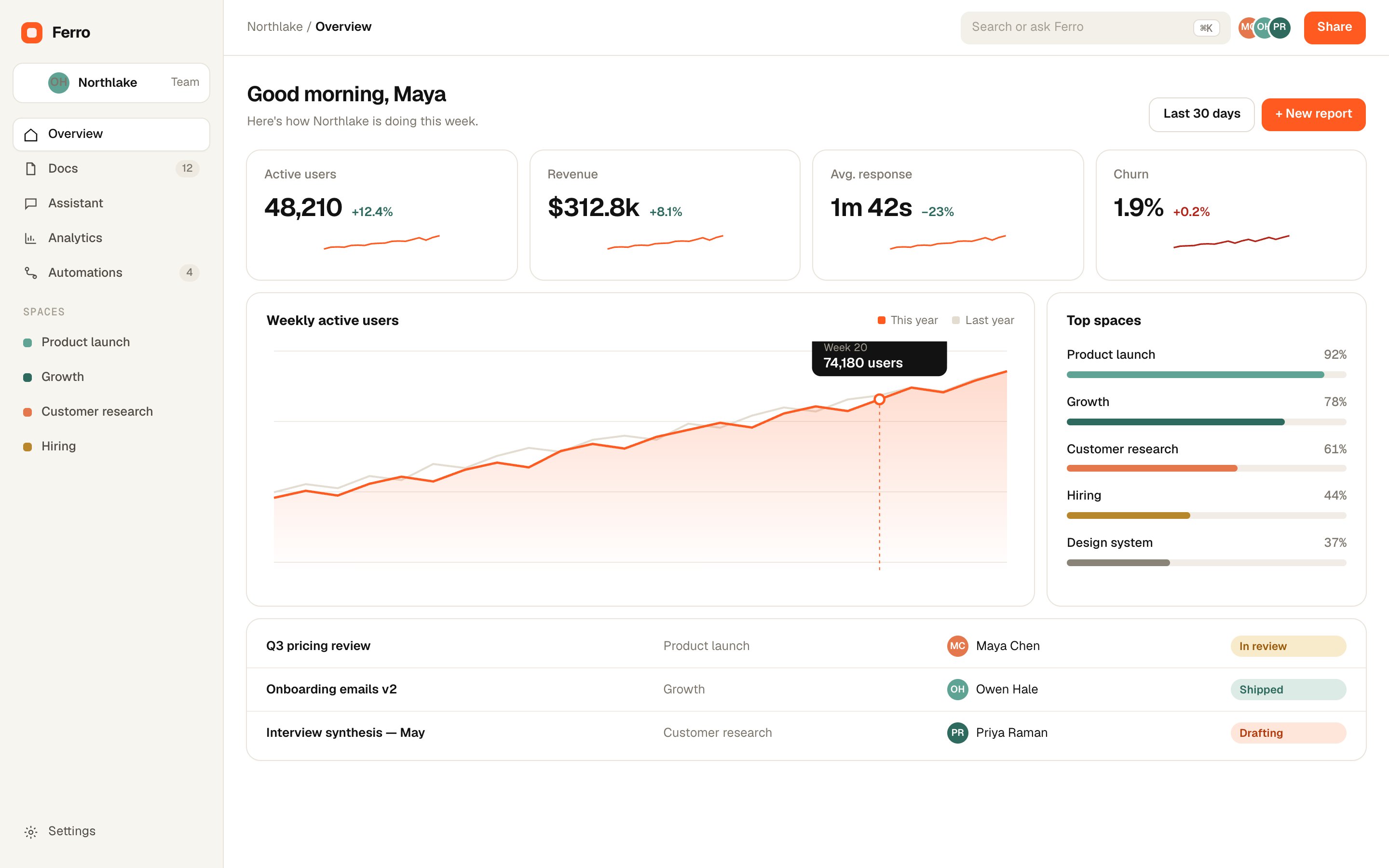
01Overview
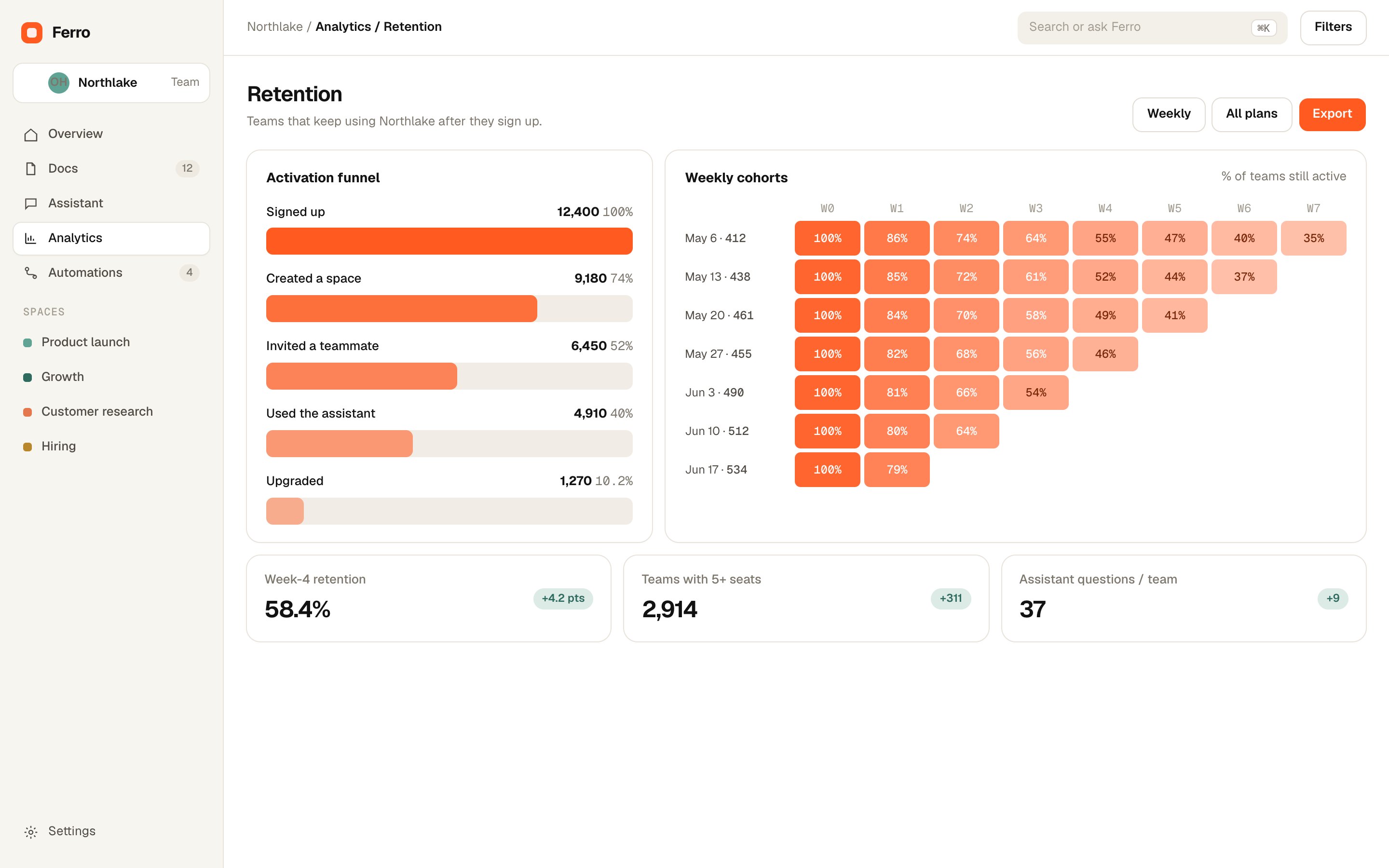
Live numbers from every tool you use, on one page that explains itself.
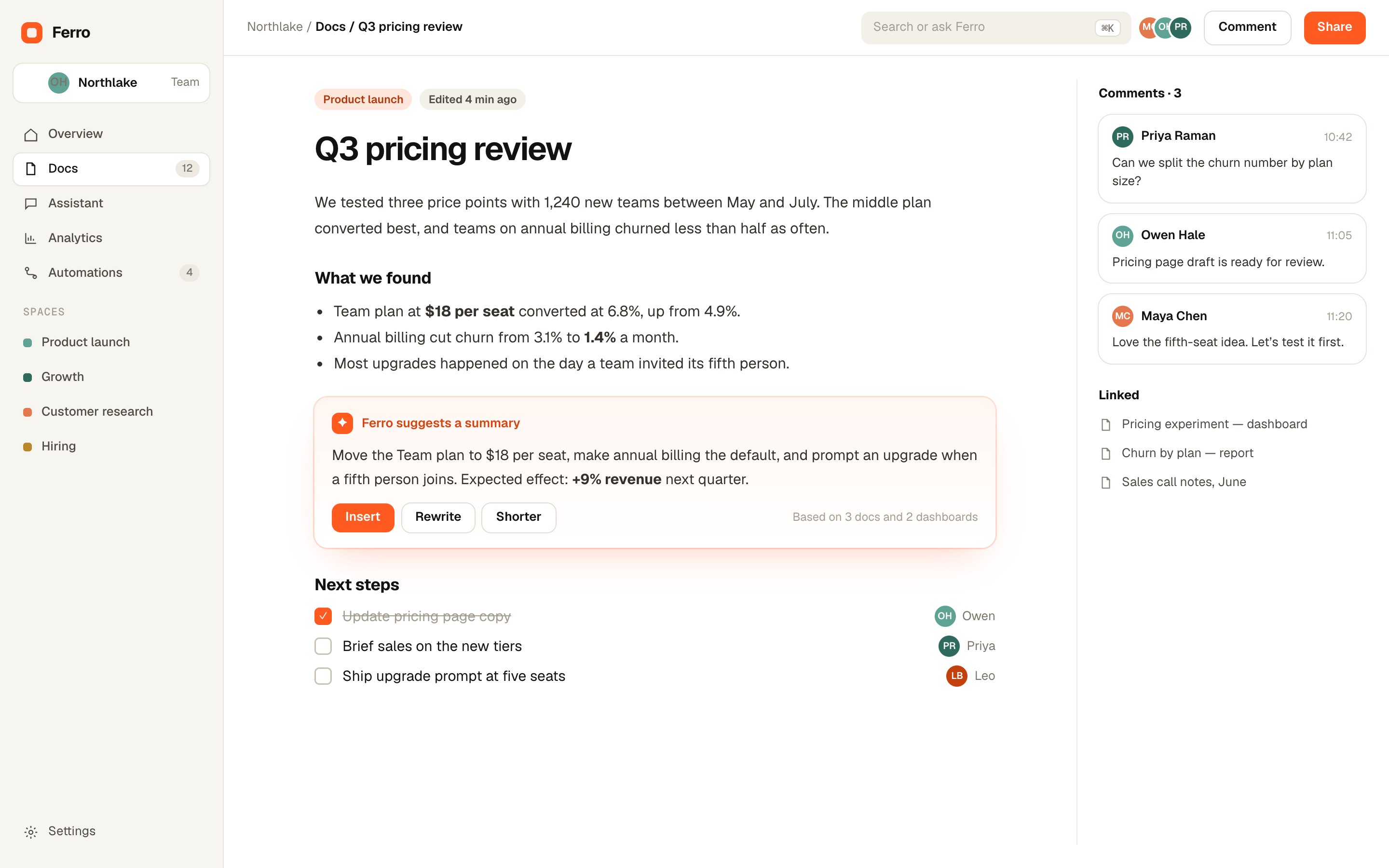
02Docs
Docs pull in live charts and figures, and the assistant drafts the summary.
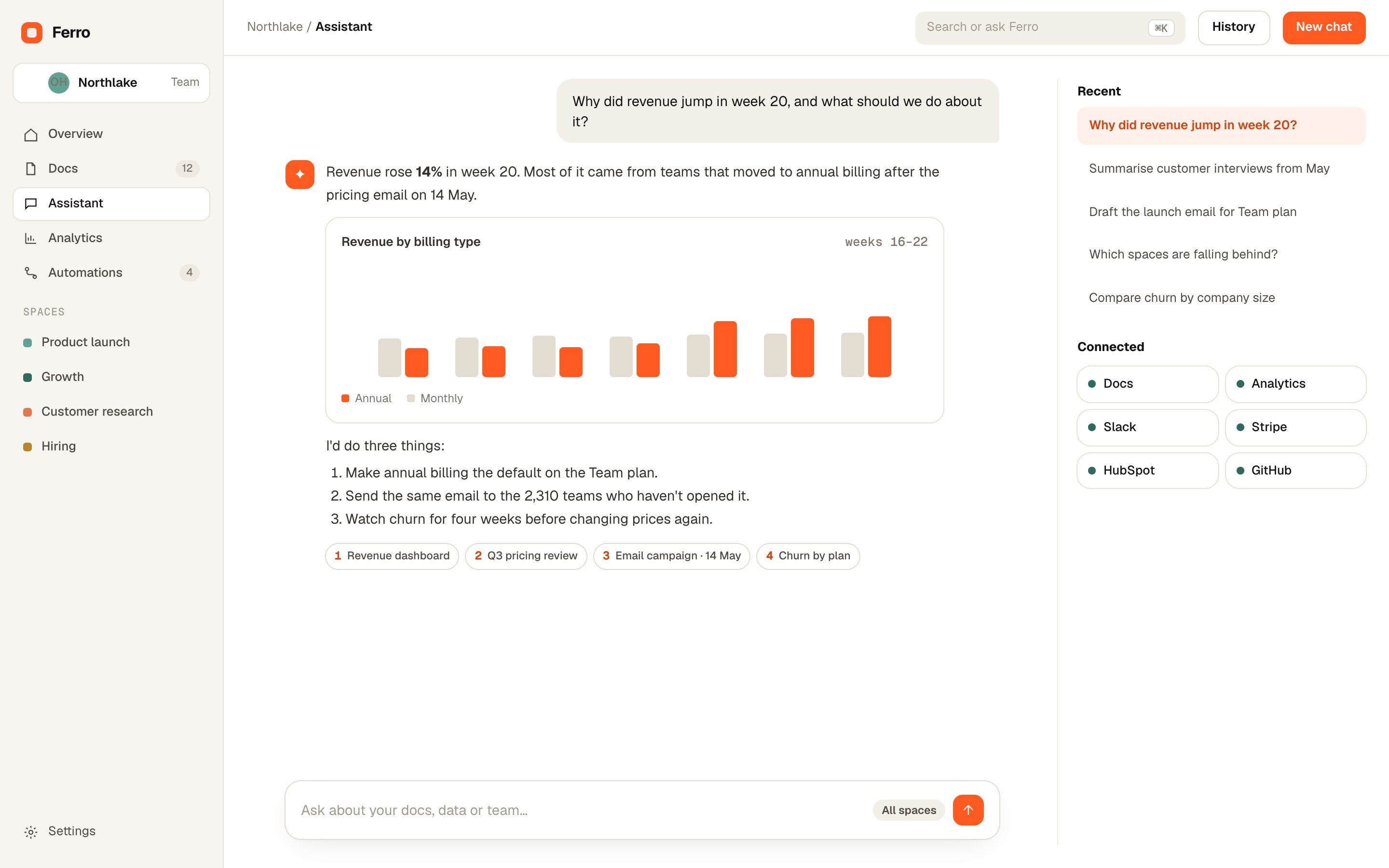
03Assistant
The assistant reads your docs, dashboards and tools, and shows where every answer came from.
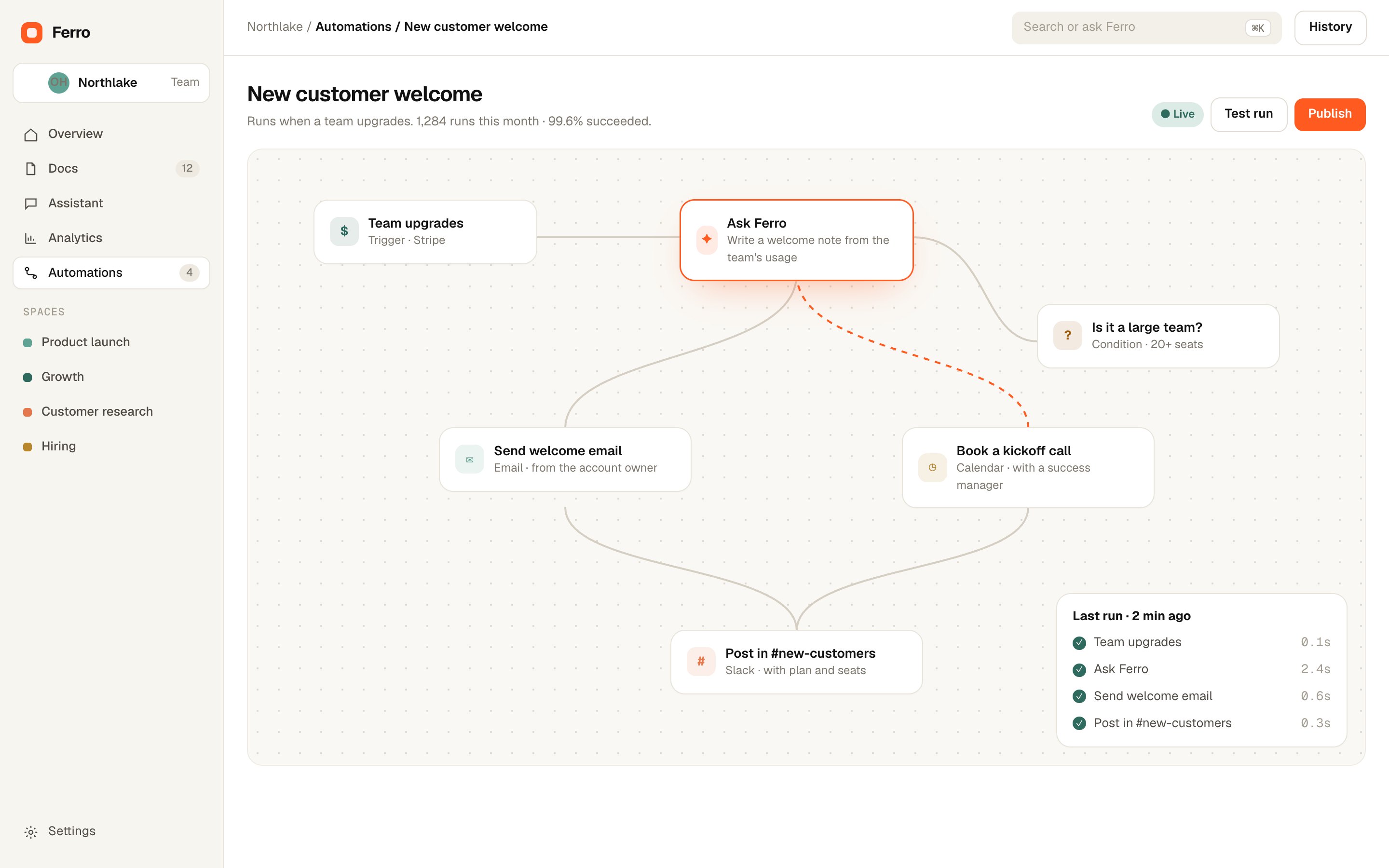
04Automations
Build a workflow in minutes. Ferro writes the messages and you approve what matters.
Product, growth, research and hiring work from the same layers, each with the view it needs.
−38%
time spent hunting for the latest version
3.4×
more questions answered without a meeting
11 h
saved per person, per month
92%
of teams still active after a year
Product
Roadmaps, specs and launch numbers on one page.
Growth
Funnels and experiments, explained by the assistant.
Research
Interviews and tickets, searchable in plain words.
Operations
Hand-offs and approvals that run by themselves.
“We closed four tools and nobody asked for them back. The weekly review takes twenty minutes now.”
“The assistant answers the questions people used to message me about. With sources, so they trust it.”
“Automations wrote our onboarding emails from real usage. Activation went up the first month.”
“Security review took a week instead of a quarter. SSO, SCIM and an audit log, all there.”
Most teams connect their tools and import docs in an afternoon. Bigger teams get a guided rollout.
No. Your data is used only to answer your team’s questions, and never to train models.
Yes. The Free plan has no time limit, and every paid plan starts with a 14-day trial.
In the region you pick: the US, the EU or the UK. It stays there.
Free for small teams. Ready in an afternoon.